Cine camera parameter guide
The development Cine camera path keeps the camera at one fixed transform while exposing Unreal’s physical filmback, lens, focus, crop, clipping, and exposure controls. The open-source command contract is documented in Cinematic Camera Controls; this page adds parameter-oriented examples for the UnrealZoo development build.
Always record a short warm-up after changing a physical setting. Temporal history, auto exposure, and Lumen need a few rendered frames before a capture is representative.
Lens and filmback
The following panels use the same camera location and rotation. Changing focal length changes framing; changing filmback changes the field of view without moving the camera. Aperture changes depth of field while preserving the camera transform.
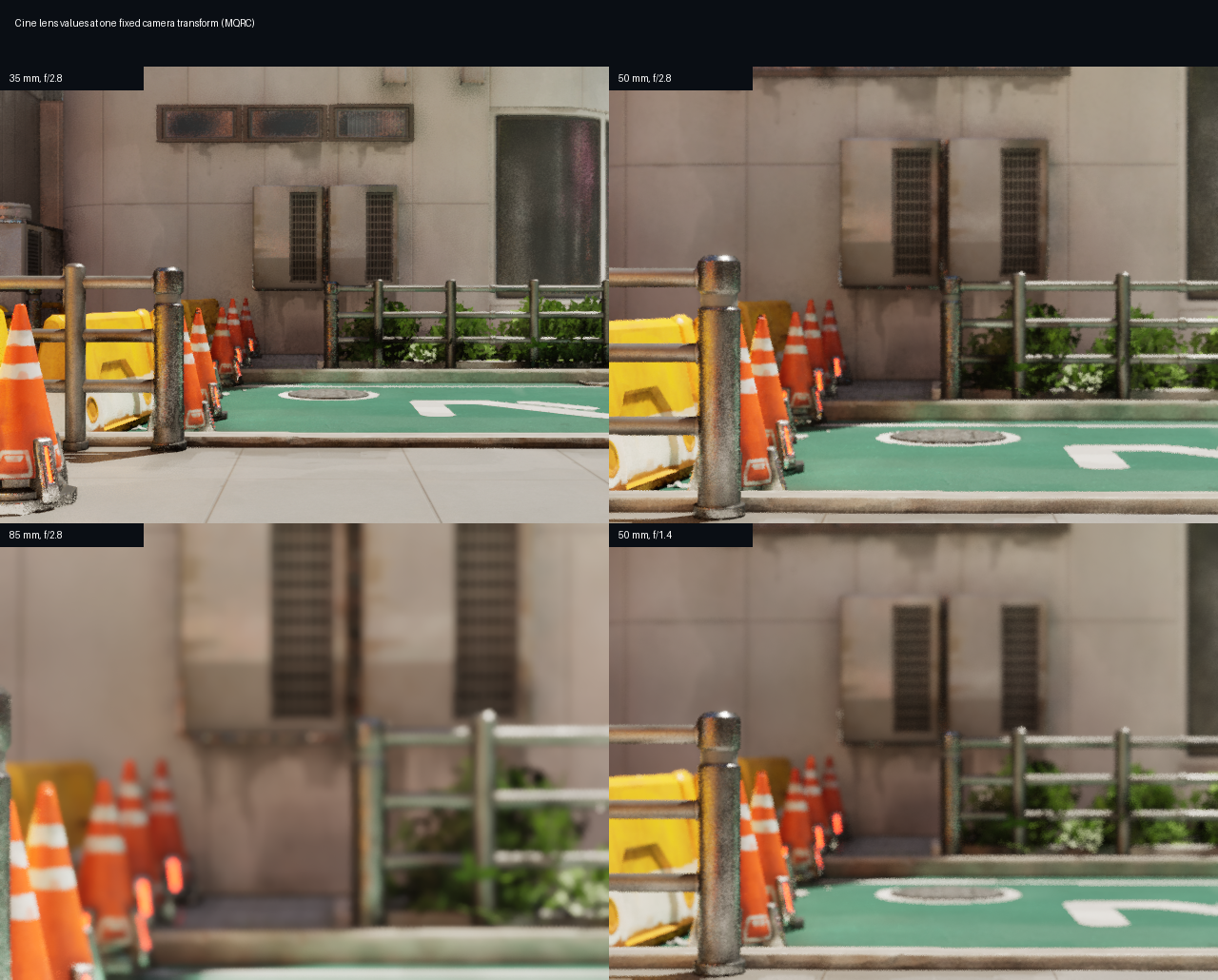
Focus and exposure
Manual focus is expressed in centimeters. ISO and shutter reciprocal are physical exposure controls; keep the scene and camera fixed when comparing values so the change is attributable to the parameter.
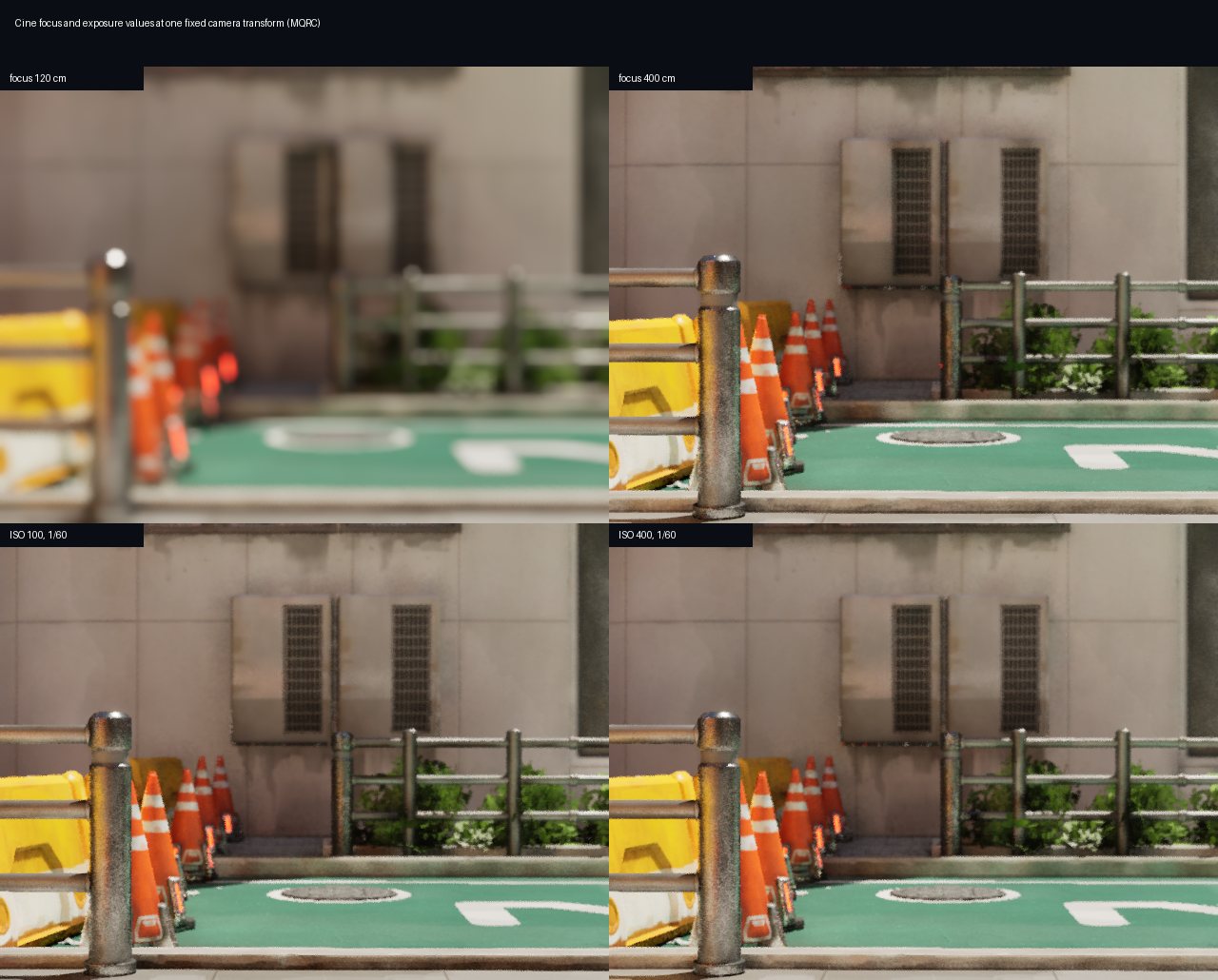
Reproduce the comparisons with commands such as:
vset /camera/0/cine/enabled 1
vset /camera/0/cine/lens 35 2.8
vset /camera/0/cine/focus 250
vset /camera/0/cine/exposure 100 60 1
vget /camera/0/cine/intrinsics
Crop, overscan, and near clipping are covered by the command table in Cinematic Camera Controls.